Skip to content
H3 Max Turbo

MINIMAX H3 MAX TURBO · VIDEO STUDIO

H3 Max Turbo AI video studio.

Bring your direction to life with MiniMax H3 Max Turbo. Start with a scene, shape the shot, and create your next video in one focused workspace.

Strictly Prohibits Adult/NSFW Content
Add inputsAttach images, videos, or audio that are part of what you want to create.
0/2

JPG, PNG, WebP · 20 MB max

0/3

MP4, WebM, MOV · 100 MB max

0/3

MP3, WAV, M4A, FLAC · 50 MB max

Just add the material you need. The generator will use it automatically.

0 / 5000
Give H3 Max Turbo a clear subject, one main action, a camera move, lighting, and sound direction. Review duration, resolution, and credits before submitting.
Choose modelCompatible models · settings update automatically

Only live routes are selectable. Your prompt stays in place when you switch.

Aspect ratio
Duration
Resolution
Prompt detail
This generation−35creditsCost guide

Your video will appear here

Give H3 Max Turbo a clear subject, one main action, a camera move, lighting, and sound direction. Review duration, resolution, and credits before submitting. Review your settings and credit cost before you generate.

Cinematic storytelling768p · 5.18s

MiniMax H3 Max Turbo · Created in this workspace

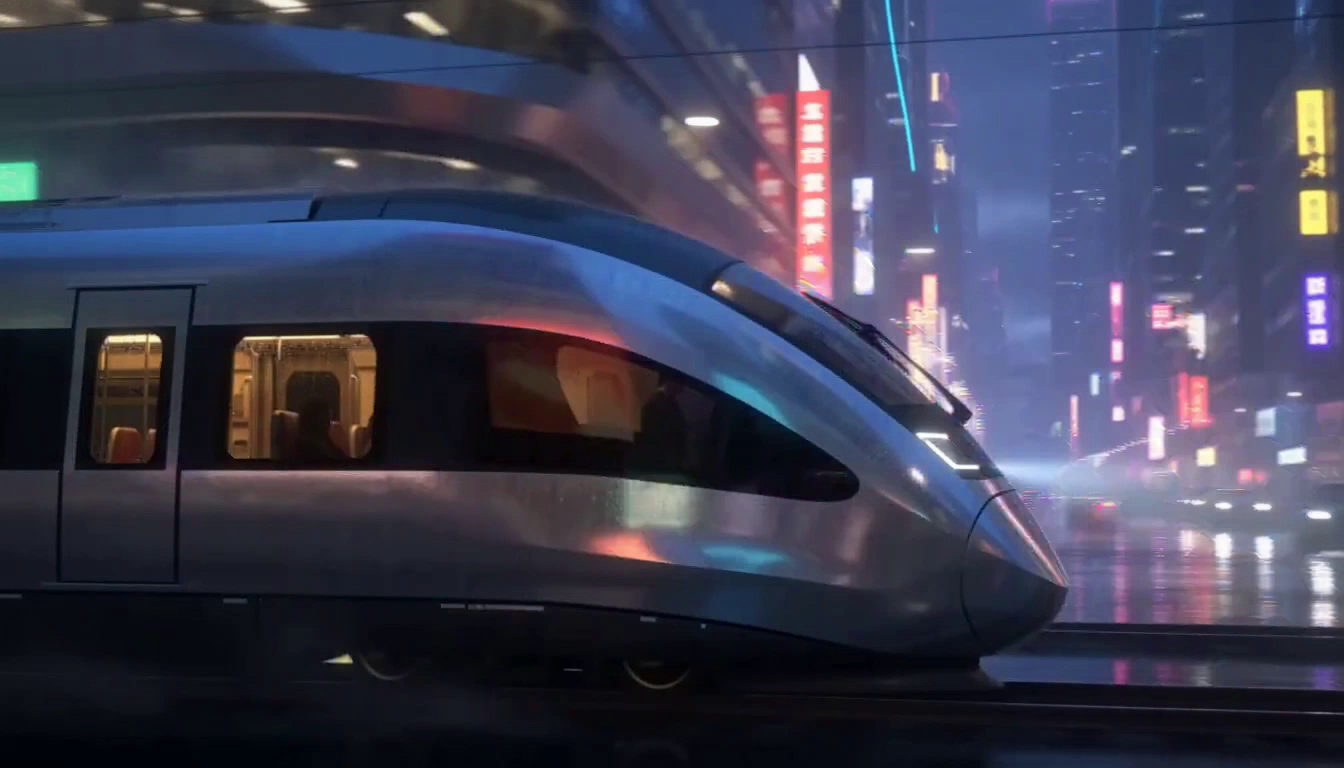
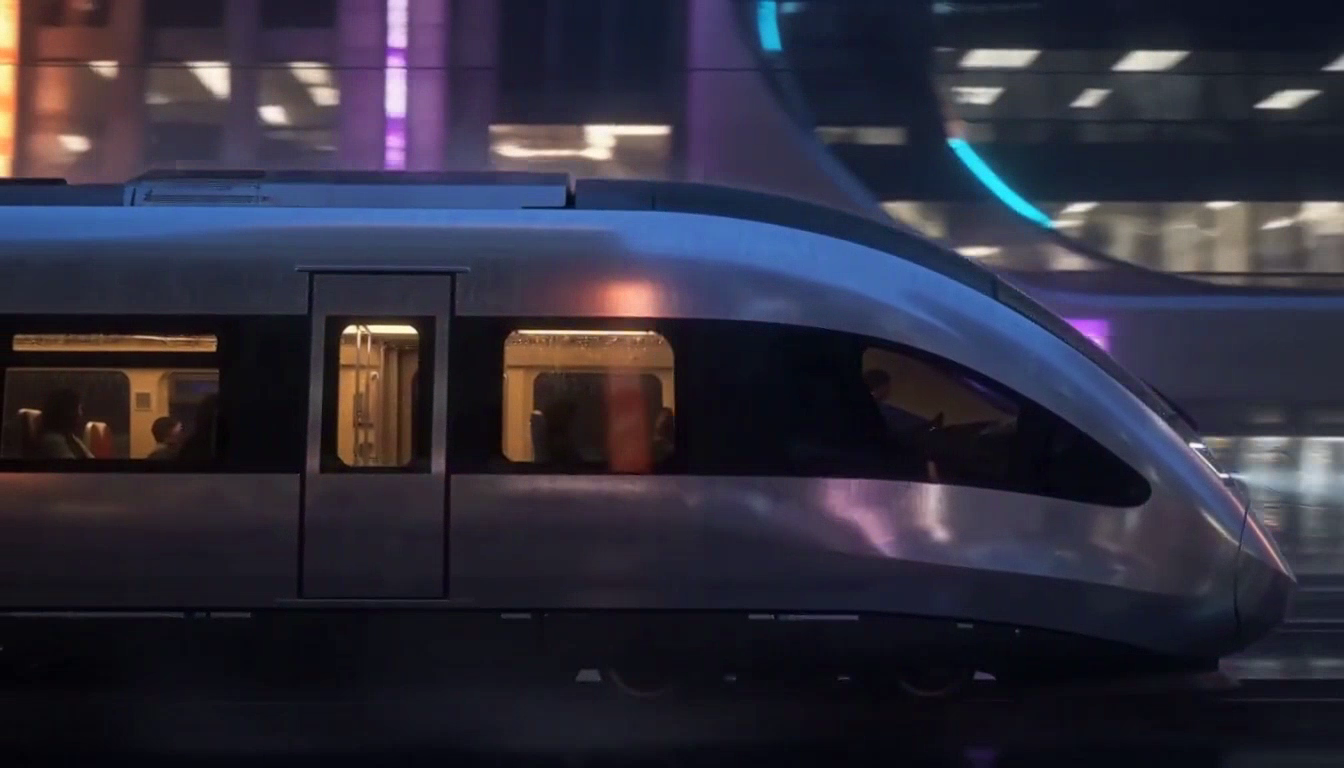
Rain-lit city tracking shot

Press play to watch. Sound starts muted; use the player to listen.

Read the exact prompt

A silver train glides through a rain-lit city at dusk. Slow side-tracking shot, warm windows against blue reflections, gentle rail sounds and distant traffic.
Open video
Text or image to video2 modes
Choose a clip length5 / 10 / 15s
Choose a resolution480p / 768p
Credits before creationUpfront

02 / REAL SHOTS. REAL STARTING POINTS.

H3 Max Turbo.
See the direction take shape.

These MiniMax H3 Max Turbo videos were generated for this workspace. Watch the original clips, inspect their prompts, and make the next version your own.

Product showcase768p · 5.18s

MiniMax H3 Max Turbo · Created in this workspace

Hiking bottle product orbit

Press play to watch. Sound starts muted; use the player to listen.

Read the exact prompt

A matte orange hiking bottle stands on a wet slate plinth. The camera makes a slow quarter orbit while soft daylight reveals water droplets. Quiet forest ambience.

Open video
Animated stories768p · 5.18s

MiniMax H3 Max Turbo · Created in this workspace

Paper fox in a moonlit garden

Press play to watch. Sound starts muted; use the player to listen.

Read the exact prompt

A tiny paper fox steps across a handmade moonlit garden. Low camera follows the folded paws, soft paper textures, cool blue light, rustling leaves and delicate footsteps.

Open video
First and last frame guidance768p · 5.18s

MiniMax H3 Max Turbo · Created in this workspace

Train shot with first and last frames

Press play to watch. Sound starts muted; use the player to listen.

First frame used to guide the train video
First frame
Last frame used to guide the train video
Last frame
Read the exact prompt

Animate this silver train gliding through the rain-lit city at dusk, beginning at the supplied first frame and ending at the supplied last frame. Smooth side-tracking camera, continuous natural train motion, warm windows against blue reflections, gentle rail sounds and distant traffic.

To try this direction, add your own first and optional last frame in the studio.

Open video

Four original MiniMax H3 Max Turbo results: three text-to-video shots and one first-and-last-frame animation. Video and audio are unedited; previews are extracted frames. Results vary with each generation.

03 / START WITH A LITTLE DIRECTION

Big ideas.
A few words to begin.

Explore MiniMax H3 Max Turbo prompt ideas.
The same creative briefs power the examples above.

THE CREATIVE BRIEFEDIT IT. MAKE IT YOURS.

The opening shot

A silver train glides through a rain-lit city at dusk. Slow side-tracking shot, warm windows against blue reflections, gentle rail sounds and distant traffic.

04 / THE MODEL. YOUR DIRECTION.

What can H3 Max Turbo do?

Choose how MiniMax H3 Max Turbo starts your shot. Text mode builds a scene from your description; image mode uses an opening frame as the visual starting point. Both use the dedicated Turbo model rather than silently switching to a different engine.

01

H3 Max Turbo, from a written scene

Use MiniMax H3 Max Turbo to build a shot from your words. Describe the subject and action first, then add framing, camera movement, lighting, and sound. One coherent scene is easier to review than a crowded list of unrelated instructions.

02

H3 Max Turbo, from your first frame

Give MiniMax H3 Max Turbo an image to establish the opening composition and optionally add a final frame to guide the ending. Direct what moves, what stays still, and how the camera travels. Use an image you own or have permission to animate.

03

A clear H3 Max Turbo credit quote

Choose 480p for a lower-cost draft or 768p for more output detail. Set a 5, 10, or 15-second clip and check the quoted credits before submitting. MiniMax H3 Max Turbo pricing follows the selected mode and output settings.

04

Refine your H3 Max Turbo direction

Compare the result with your brief, keep the useful parts, and change one instruction for the next version. MiniMax H3 Max Turbo works best as a deliberate creative process, not a guarantee of a perfect first take.

MiniMax H3 Max Turbo, in one focused workspace.

MiniMax H3 Max Turbo gives creators a focused way to turn a written scene or a starting image into a short video. H3 Max Turbo brings both modes into one workspace: describe the action, choose the clip length and resolution, then review the exact credit quote before you generate. Keep the creative brief specific and refine one detail at a time.

05 / FROM FIRST THOUGHT TO FINAL SHOT

How to use H3 Max Turbo.

One clear scene is a good place to start.
Build the next version from what you learn.

  1. 01

    Choose your starting point

    Open the MiniMax H3 Max Turbo studio. Start from a text prompt, or upload an opening image for image-to-video creation.

  2. 02

    Describe a single shot

    Tell H3 Max Turbo who or what is in the scene, what happens, and how the camera and lighting should behave. Add concise sound direction when it matters.

  3. 03

    Review settings and credits

    Set the duration, resolution, and available framing controls. Check the MiniMax H3 Max Turbo credit quote before you submit the request.

  4. 04

    Generate, review, download

    Review your H3 Max Turbo result in the workspace and download the video when the job finishes. Confirmed provider failures return the reserved credits.

06 / BEFORE YOU CREATE

H3 Max Turbo.
Good questions.

Get to know the MiniMax H3 Max Turbo workflow, available settings and credits.

Explore pricing
01What is MiniMax H3 Max Turbo?

MiniMax H3 Max Turbo is a video-generation model for creating new scenes from text or animating an opening image. This independent workspace lets you use those Turbo modes with an upfront credit quote.

02How do I use MiniMax H3 Max Turbo?

Choose text or image mode, enter a clear shot description, select the duration and resolution, and review the credits. Sign in to submit a generation, then review and download the completed video.

03Which settings does MiniMax H3 Max Turbo support here?

The studio offers 5, 10, and 15-second clips at 480p or 768p. Text mode supports 21:9, 16:9, 4:3, 1:1, 3:4, and 9:16. Image mode takes its framing from the uploaded opening image and supports an optional ending frame.

04Is MiniMax H3 Max Turbo the regular H3 Max model?

No. This site uses the dedicated H3 Max Turbo endpoints for both video modes. The regular H3 Max model has separate endpoints and pricing; it is not substituted behind the Turbo label.

05How much does MiniMax H3 Max Turbo cost?

The minimum 5-second 480p video costs 35 credits. Longer clips and higher resolutions cost more. The generator displays the exact quote before each request, and the pricing page explains the credit plans.

06Can I try MiniMax H3 Max Turbo after signing in?

An eligible new account receives 35 welcome credits, enough for one minimum-configuration H3 Max Turbo video. This is a limited welcome grant, not unlimited free video generation.

07What happens if my H3 Max Turbo generation fails?

Credits are reserved when a request starts. A confirmed provider failure returns the reserved credits automatically. A slow or still-pending job is not treated as a failed job just because you leave the page.

08Is H3MaxTurbo.pro an official MiniMax website?

No. H3MaxTurbo.pro is an independent video-creation service using MiniMax H3 Max Turbo. It is not affiliated with or endorsed by MiniMax. Model names and trademarks belong to their owners.

THE NEXT FRAME IS YOURS.

Give your idea
some movement.

Open H3 Max Turbo A little direction goes a long way.